
Invideo: Faceless YouTube Channels Are Making Money
folder_openTechnology
commentNo Comments
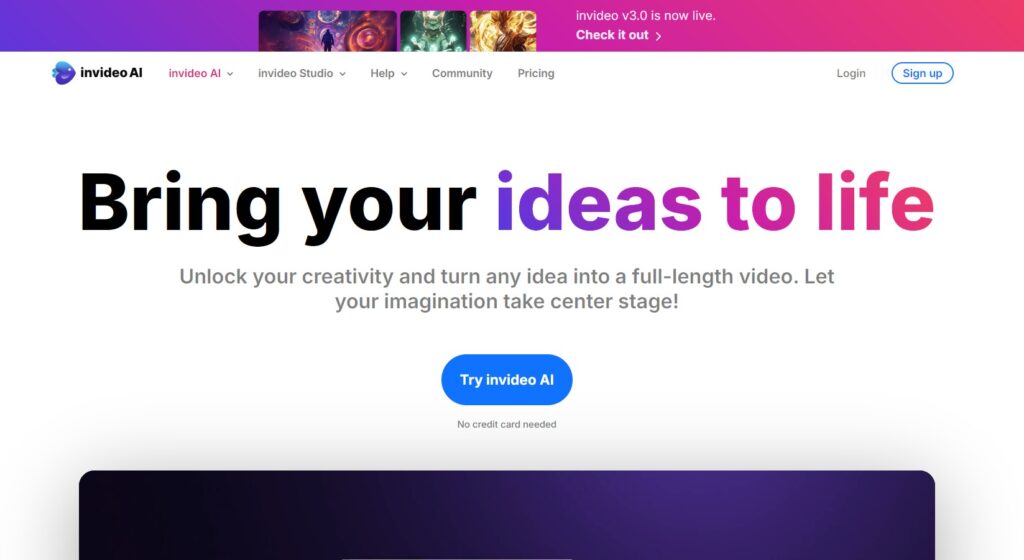
YouTube content creators are constantly exploring new ways to captivate audiences. One such is the rise of Faceless YouTube channels. These channels are characterised by their creators’ anonymity or absence from the screen, allowing the content to take center stage. Whether it’s tutorials, animations, or narrated videos, the focus remains on delivering valuable and engaging content to viewers. Here we are going to take a look at creating faceless YouTube channels and how Invideo can help you achieve this:
Understanding Faceless YouTube Channels
Faceless YouTube channels offer a unique approach to content creation, where the creator’s identity takes a backseat to the content itself. This anonymity can be a strategic choice, allowing creators to maintain privacy, foster curiosity among viewers, or simply let their content speak for itself. Regardless of the reasons behind it, the essence of a faceless YouTube channel lies in delivering quality content without the distraction of a visible personality.
Getting Started with Your Faceless Channel
Starting as a faceless YouTuber requires careful planning and execution. Here’s a quick guide to help you start your channel:
- Choose Your Content Format – Begin by identifying the type of content you wish to create. Whether it’s educational tutorials, captivating animations, informative narrated videos, or helpful screen recordings, selecting the right format sets the foundation for your channel’s success.
- Plan Your Content – Utilise tools like ChatGPT to brainstorm video ideas, outline scripts, and refine your content strategy.
- Create Your Content – Enter Invideo, your AI-powered video production assistant. With Invideo advanced technology, you can effortlessly bring your ideas to life. From generating visuals to enhancing audio quality, Invideo empowers you to create professional-looking videos with ease, all while maintaining your anonymity.
- Upload and Optimise – Once your videos are ready, it’s time to share them with the world. Upload your content to YouTube and optimise it for search engines by incorporating relevant keywords and tags. Additionally, promote your videos through social media channels and seek collaborations to expand your reach and grow your audience.
What is InVideo AI?
InVideo AI is an innovative platform that transforms text into compelling videos. By inputting a blog post, article, or even a simple prompt, the AI analyzes the content and generates a video complete with voice-overs, animations, and relevant visuals. This feature is particularly beneficial for content marketers and educators aiming to repurpose written material into engaging visual content.
Key Features of InVideo AI
- Text-to-Video Conversion: Seamlessly convert written content into dynamic videos. The AI suggests relevant images and video clips to accompany the text, streamlining the content creation process.
- Extensive Template Library: Access over 5,000 customizable templates tailored for various styles and themes, simplifying the video creation process.
- AI-Assisted Script Generation and Voiceovers: Generate scripts and voiceovers using AI, enhancing the efficiency of video production.
- Media Library Access: Utilize a rich library of stock footage, images, and music tracks to enhance your videos. Depending on your pricing plan, access to premium assets is also available.
- Multi-Language Support: Create content for a global audience with support for multiple languages, making localization straightforward.
How to Get Started with InVideo AI
Embarking on your video creation journey with InVideo AI is straightforward:
- Select Workflow: Choose the “Blog to AI Videos” workflow and paste your blog’s URL. Provide details about your desired video, including audience, platform, and appearance.
- Generate: Click ‘Generate now’ to let the AI create your video.
- Edit: Use the magic edit box to make any necessary adjustments, such as changing voiceovers or modifying scenes.
- Publish: Export the video and share it with your audience.
InVideo AI is transforming the video creation landscape by making it more accessible and efficient. If you’re a marketer, educator, or business professional, this tool empowers you to produce high-quality content with minimal effort. Experience the future of video creation with InVideo AI today.
Ready to Take the Next Step?
Dive deeper into AI with our ebooks and in-depth courses. Whether you’re just starting or looking to sharpen your skills, we’ve created the perfect resources to help you succeed.





SHOP
-
 ELEVATE Your World Notebook
£12.00
ELEVATE Your World Notebook
£12.00
-
 ELEVATE Your World Mug
£10.00
ELEVATE Your World Mug
£10.00
-
 ELEVATE White Backpack
£40.00
ELEVATE White Backpack
£40.00